How toGuideOptions
How to trade options and spreads
Pick an expiration on the chain and tap a contract, or build a spread with Multi-leg and send every leg as one order, with max profit, max loss and breakevens shown first.
WhereiPhone: Trade › Options › Option Chain · Web: Trade, the Options tab
Buy one contract
- On Trade, open Options.
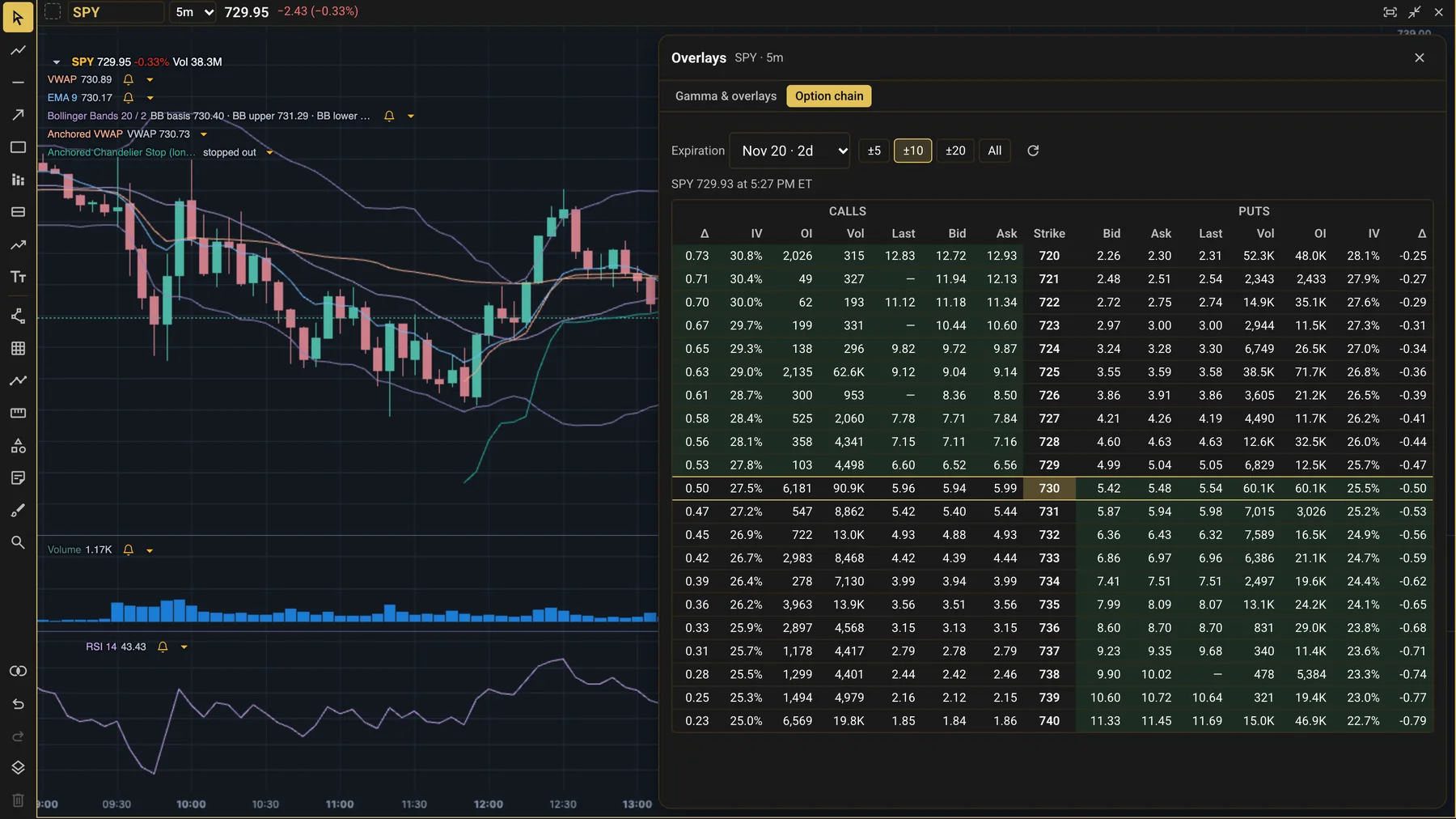
- Pick an expiration at the top. Calls and puts sit either side of each strike, with their prices and the spread.
- Tap a row to trade that contract.
Build a spread
- In the Option Chain, tap Multi-leg.
- Start from a strategy fills every leg at listed strikes: verticals, straddles, strangles, iron condors, butterflies, calendars and diagonals. Calendars and diagonals also pick a later expiration.
- Or build it yourself on the chain: tap an ask to buy a leg, or a bid to sell one.
- Legs shows each contract with its bid, mid, ask, delta, open interest and implied volatility. Flip buy or sell, change how many, or step to the next strike.
- Result shows the net cost or credit, max profit, max loss, breakevens and the payoff chart.
- Pick how it is priced: Bid, Mid, Ask, MKT or Limit.
- Review order opens the spread ticket. Check it there and send. Nothing is sent before that.
Good to know
- Every option you sell needs one you buy that covers it, so short straddles, short strangles and ratio spreads aren't offered.
- A spread always goes to your broker with a price, so MKT is sent at the price that fills now.
- To close, Close legs together closes the whole strategy, or close part of it.
More in Options
Still stuck? DM us and the team will answer.