How toGuideTrading and order types
How to hand a trade to Takeover
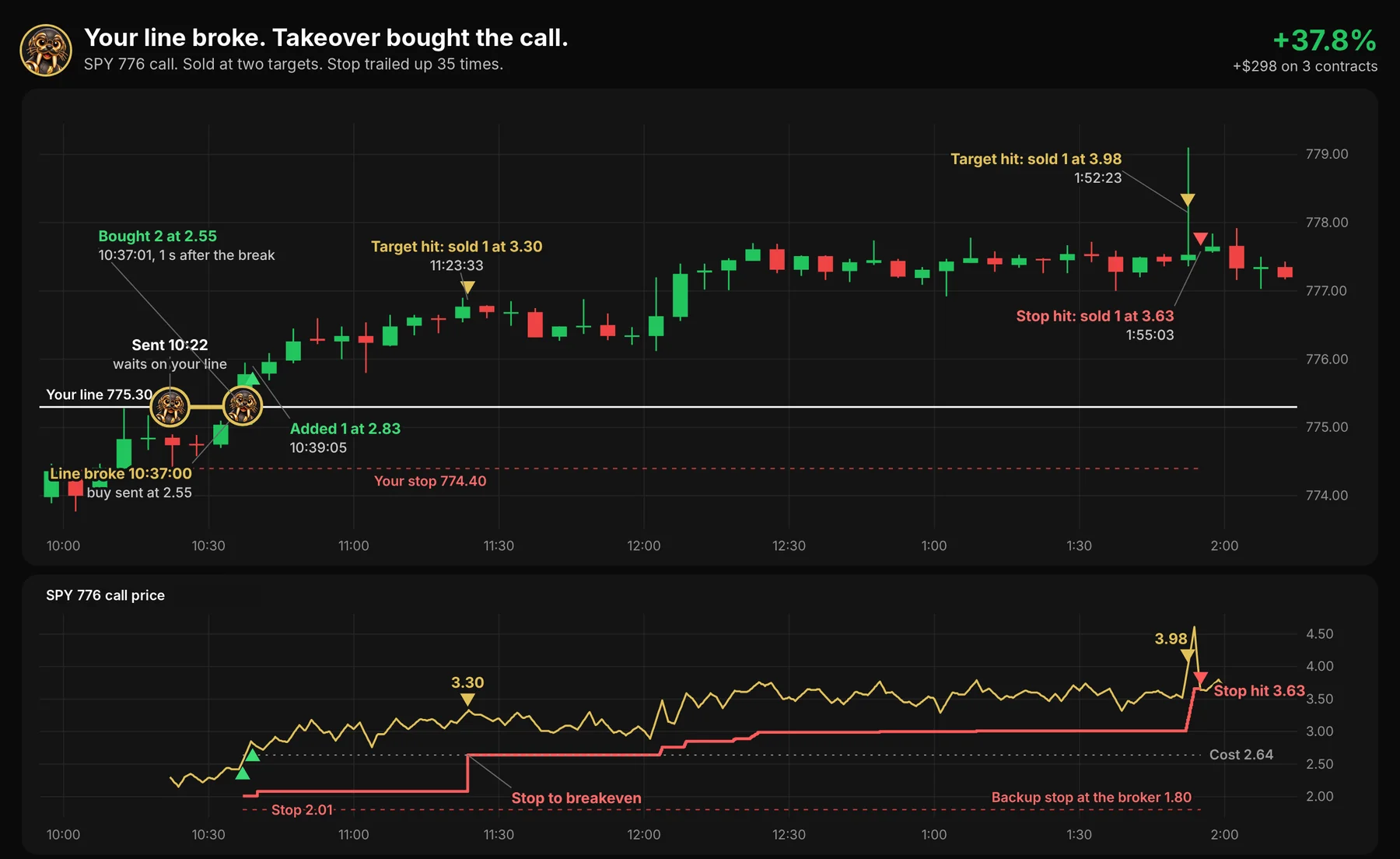
Takeover runs a trade you pick. It rests a real stop at your broker, sells at your targets, moves the stop up and trails what's left, with the app closed.
WhereiPhone: Trade, under the stop buttons · Agents › Dashboard › Takeover
Takeover never picks a trade of its own. It trades only when you tell it to, then runs the trade by its plan.
Take over a trade you hold
- Open Trade on the ticker you hold.
- Under the stop buttons, tap Takeover (or one of your own paths). It is also on the menu when you tap a position.
- It shows the stop and targets it will work. Tap Take over to hand it the trade, or Adjust to change them first.
- It moves the stop up, never down, and sells at your targets, with the app closed too.
Send in an entry agent
An entry agent buys where you send it. You can have up to four.
- On Agents › Dashboard, tap Takeover.
- Under Agents that enter for you, tap Add agent. Pick Calls and puts or Shares, its account, its size and its plan, then tap Save and turn on.
- On Trade, pick the ticker and tap the agent's numbered button under the stop buttons.
- Say what you see, or leave it empty, then tap Up: buy a call or Down: buy a put.
What you can set
- Stop: where it goes, Candle close or Touch, and a backup stop in ATRs.
- Plan: take profits in R, and when the stop moves to entry.
- Runner and Time: how what's left trails, and when to sell what's left.
Take it back
On the trade's card on Trade, Stop managing makes the trade yours again; its stop stays at your broker as your own order. Close now sells what's left, and Raise stop tightens it.
Stop orders don't guarantee your exit price. Options can gap and spreads can widen.
More in Trading and order types
Still stuck? DM us and the team will answer.