How toGuideHyperliquid and perps
How to connect Hyperliquid and place your first perp trade
Set up your trading wallet, fund it with USDC, then pick a side, an amount and leverage, add a stop and buy.
WhereiPhone: Trade › Perps · Web: Trade, the Perps tab on the ticket
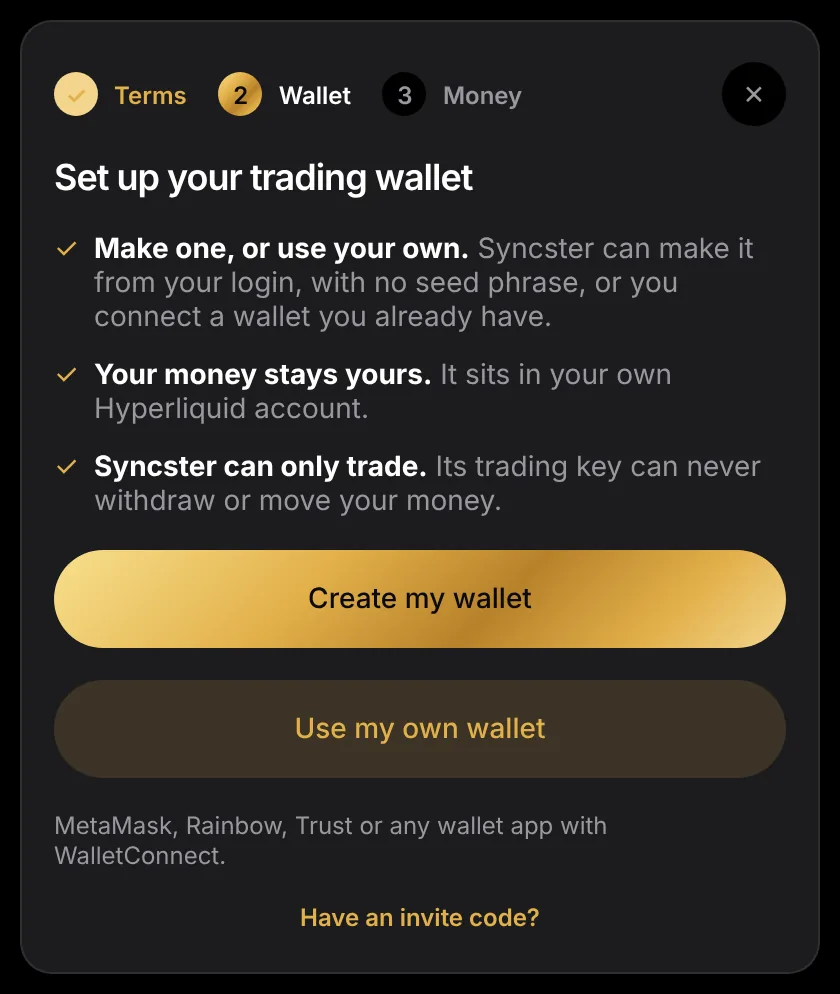
1. Set up your trading wallet
- Open Trade, then the Perps tab, and start connecting Hyperliquid.
- Accept the terms, then on Wallet pick Create my wallet or Use my own wallet. Your own wallet can be MetaMask, Rainbow, Trust or any wallet app with WalletConnect. On a computer you can scan a QR code with your phone's wallet.
- Your wallet signs once to approve Syncster's trade-only key, and once more for Syncster's 0.05% fee on trades it sends.
- Got a friend's invite code? Tap Have an invite code? before you finish, and you pay 0.045% instead.
2. Add money
Deposit USDC to your Hyperliquid account. It stays in your own account, and you can withdraw any time. Syncster's key can never withdraw.
3. Place the trade
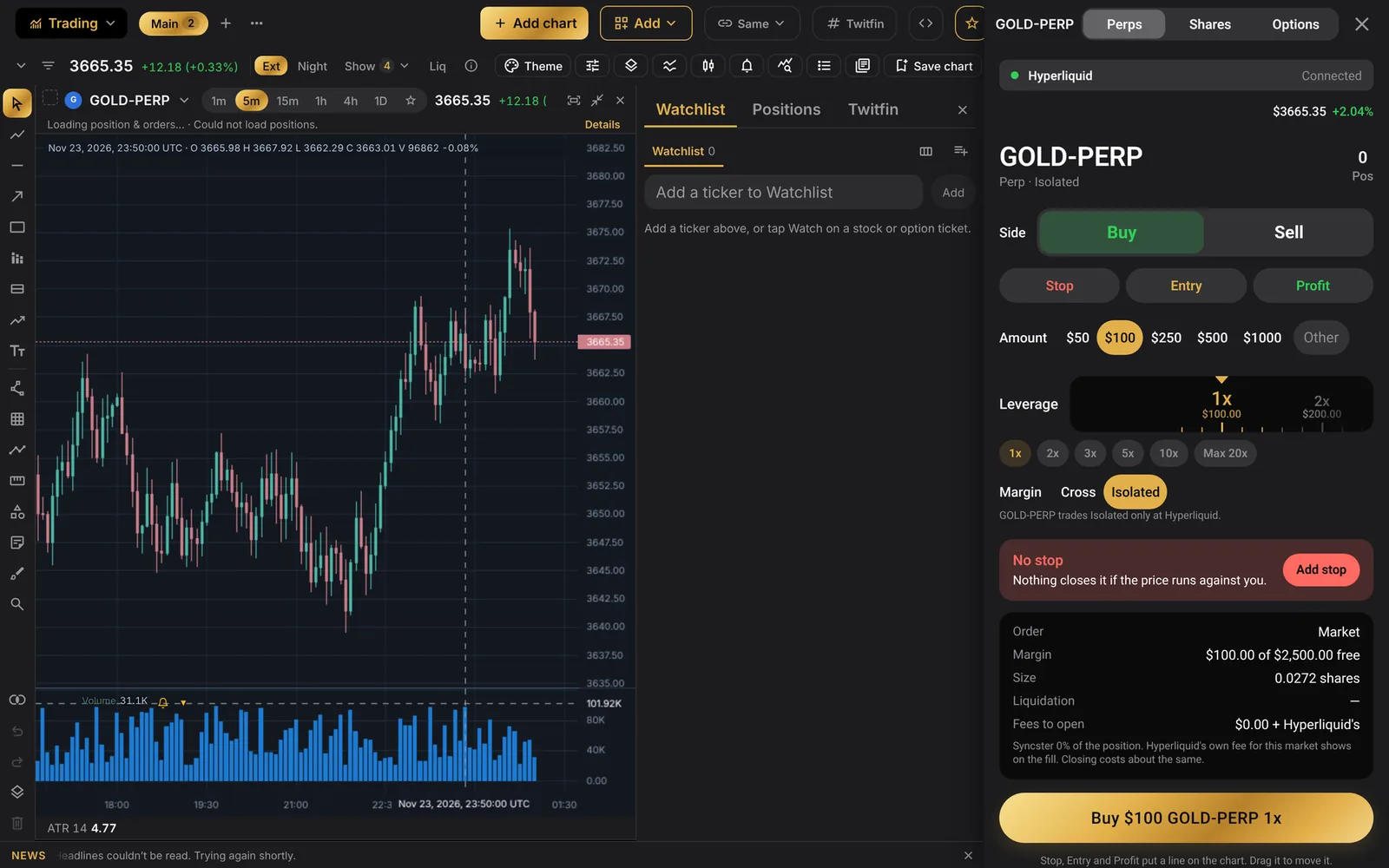
- Pick the perp, like BTC or NVDA. Its chart shows as BTC-PERP or NVDA-PERP.
- Pick Buy (long) or Sell (short).
- Pick an Amount in dollars and a Leverage. The ticket shows your margin, size, liquidation price and fees before you send.
- Tap Stop and tap the chart to place it, or tap Add stop on the red No stop card. Drag a line to move it. Profit adds a target the same way.
- Tap the gold Buy button.
Order types
Market, Limit, TWAP and Trigger, sized in dollars or coins, with Reduce Only and TP/SL.
Good to know
- Your perps Risk settings (like max leverage) apply to every perp entry, yours and your agents'.
- New to perps? Read Perps on Hyperliquid first.
More in Hyperliquid and perps
How toSpecHyperliquid and perps
Perps on Hyperliquid: leverage, funding and liquidation
Perpetual futures let you go long or short a coin or a stock with leverage and no expiry. How leverage, margin, funding and liquidation work, and what Syncster adds.
How toGuideHyperliquid and perps
How to watch your other Hyperliquid wallets
Paste any Hyperliquid address to see its balance and positions in one list, get alerts when a stop fills or a position has no stop, and have the AI find its leaks.
Still stuck? DM us and the team will answer.