How toGuideStrategies and copy trading
How to copy a trader's trade
Follow traders, then tap Copy on a trade they share. You pick your own account and size and send it yourself. In a room you can also turn on Auto-copy for one trader.
WhereiPhone and web: Community › Feed, and your rooms
Copy from the Feed
- Community › Discover finds traders. Tap Follow, and the trades they share show up in your Feed.
- On a trade in your Feed, tap Copy.
- Pick your own account and size, then tap Buy. Nothing is ever copied without you.
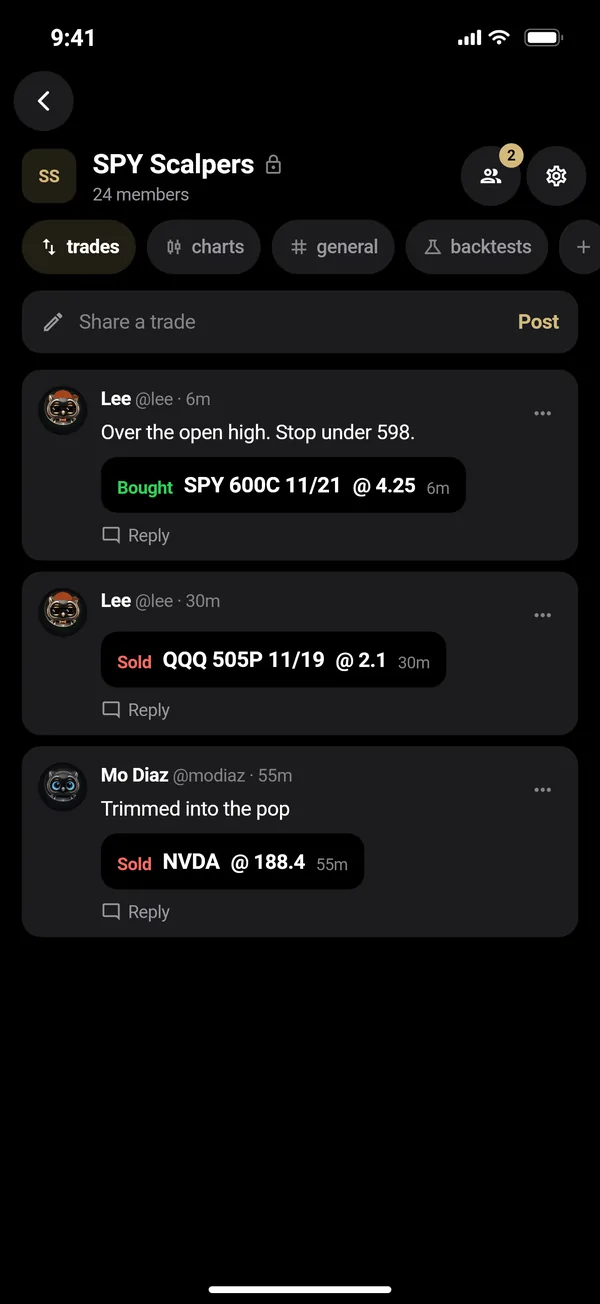
Auto-copy one trader in a room
In a room you're in, tap Auto-copy on a trader's room buy. It copies only that trader's buys posted in the rooms you're in, from the moment you turn it on.
- When they buy: copy them, or fade them. Fade sells a credit spread against each buy, and isn't offered on index options.
- Which of their buys, Tickers to skip, and Skip options expiring in under some days.
- Its own exits: its stop, target and Sell after days. It never copies their sells; it closes on its own exits.
- Your limits: Risk per trade, Most at stake at once, Daily loss limit and Trades a day.
- Stop copying turns it off.
Share your own trades
In Portfolio, tap a position or a filled order, then Share. Followers never see your size. To share every trade, turn on Auto share trades in Settings, and Share trades to Community on each account.
More in Strategies and copy trading
Still stuck? DM us and the team will answer.