How to build an agent from an idea
Type what the agent should do in plain words. Sync turns it into rules you can change, you backtest them on real past prices, then make the agent and turn it on.
WhereiPhone: Agents › Build · Web: Agents › Build
1. Describe the idea
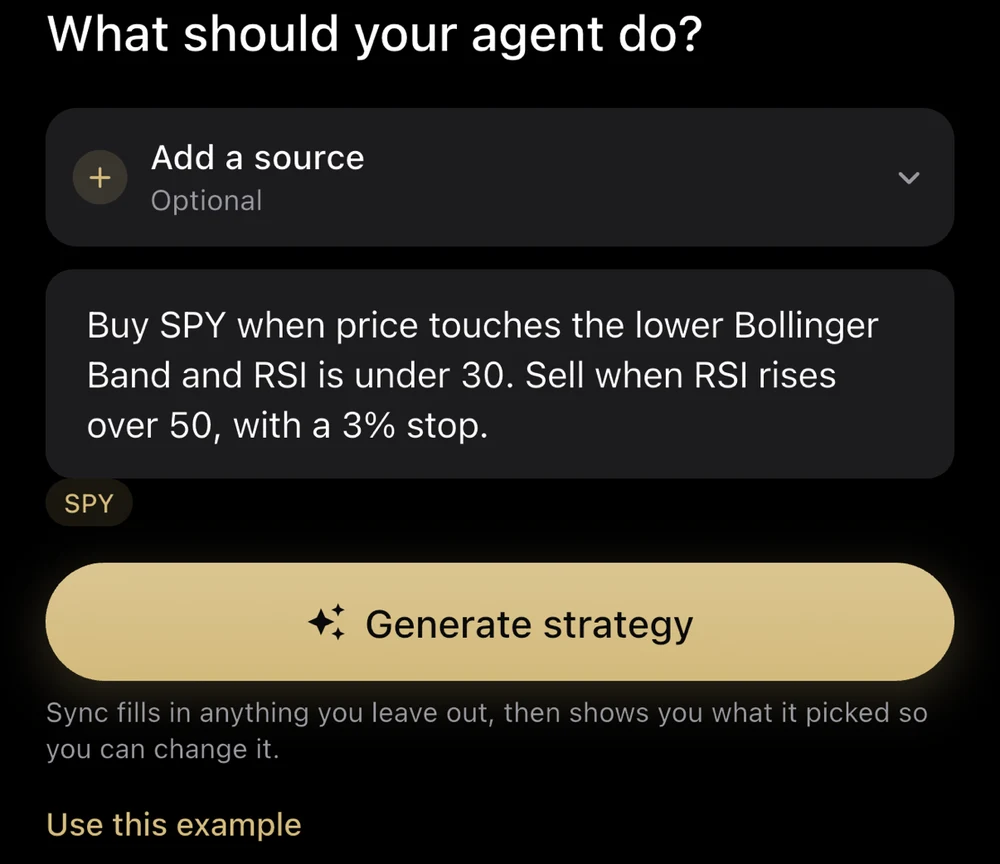
Open Agents, then Build. Type what it should do in plain words, like "Buy SPY when price touches the lower Bollinger Band and RSI is under 30. Sell when RSI rises over 50, with a 3% stop." Tap Generate strategy.
2. Check its rules
Sync turns the idea into steps: tickers, trigger, stop and exit. It fills in anything you left out, then shows you what it picked so you can change it. Tap any step to change it.
3. Backtest it
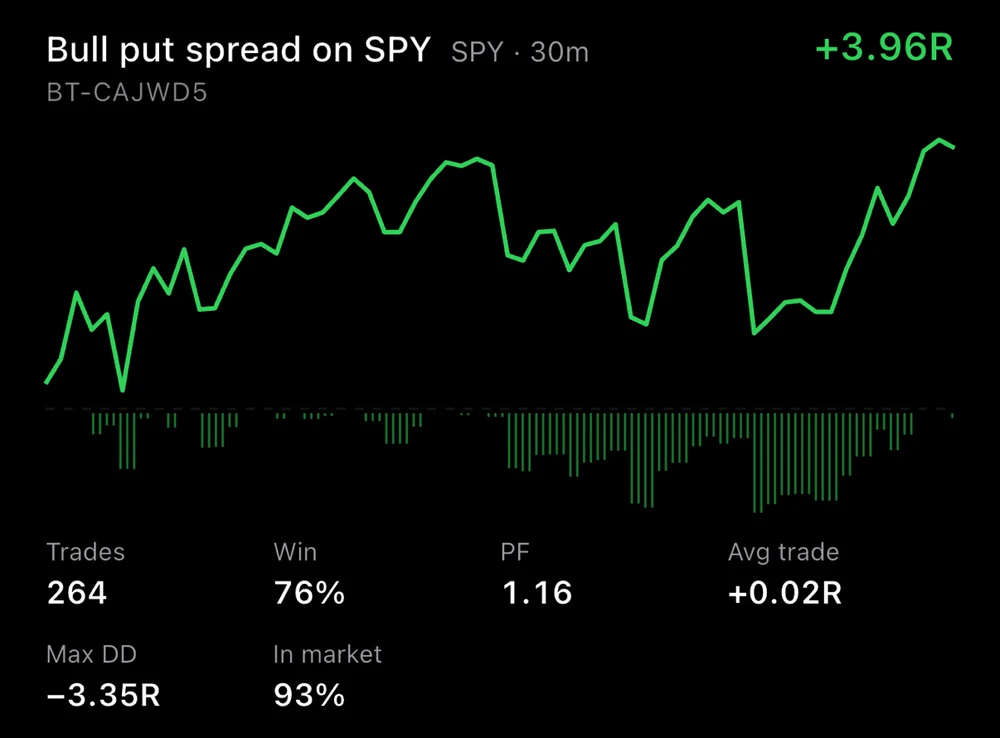
At the bottom, tap Backtest to run the rules on real past prices. Read the results: trades, win rate, profit factor, average trade and max drawdown, in R.
4. Make the agent
Change a step and test again, or tap Make agent to put it on a desk.
5. Turn it on
Flip its switch, then pick the account, Trade for me or Ask me first, and its size. Tap Start trading for me.
Running it
- Agents › Dashboard shows your desks. An agent only trades while it sits on one.
- The switch pauses it. Triggers shows which of its rules are met right now.
- Change its size, limits or Where it trades, then tap Save changes. It restarts on them.
- Rather start from a ready-made one? Marketplace lists agents with their records. Start this agent adds one to your desks, paused.
A backtest shows how rules did on past prices. It doesn't promise future results.
More in AI agents
Still stuck? DM us and the team will answer.